
Finance Pro


About
Finance Pro manages day-to-day money for individuals and small offices: record an expense once and it is assigned to its category and monthly budget, recurring subscriptions are paid and recorded automatically, and reminders reach you by email and SMS before anything is due. It runs locally on SQLite and syncs automatically with a MariaDB server, so your data stays available and protected even when the connection drops.
Who is it for?
Office or small-business owners who want control over expenses and monthly subscriptions
Finance managers and accountants who need print-ready reports for any period
Anyone juggling several bank accounts, savings goals and debts who wants one clear picture
What does it solve?
Recurring bills with auto-pay and reminders days before they are due.
Monthly budget, usage rate, category breakdown and a 12-month trend.
One database with user permissions, an activity log for every action, and backups.
How to get started
Install on your server or PC, activate the license and sign in as admin.
Add bank accounts, expense categories and your monthly budget.
Enter your subscriptions once and turn on auto-pay.
Add expenses and attach invoices — the system sorts them and reminds you.
Pick a period and print or save any report as PDF.
Key features
1All-in-one overview
Every section on one screen: savings, recurring bills, bank accounts, latest transfers, archive and send log — with quick actions for each.
2Complete dashboard
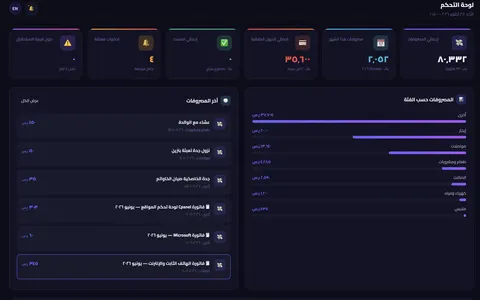
Total expenses, this month's spending, remaining debts, paid amounts, open reminders and debts due soon — plus latest expenses by category.
3Expenses & budget
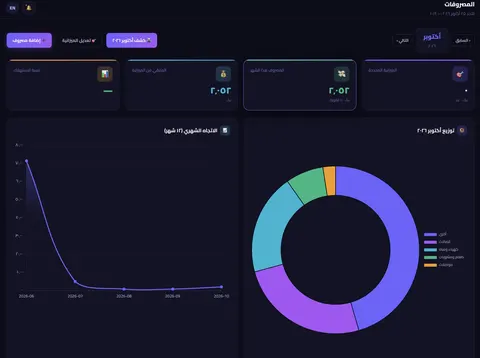
Monthly budget and usage rate, a donut chart of the month, a 12-month trend line and quick month navigation.
4Spending analytics
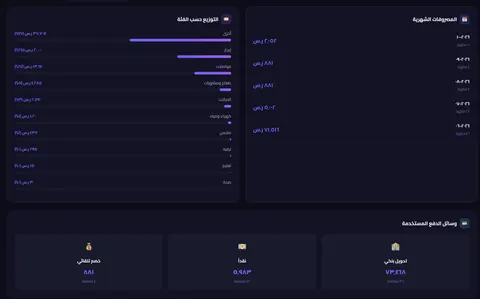
Breakdown by category, monthly totals with invoice counts, and payment methods: bank transfer, cash, auto-debit.
5Printable monthly statements
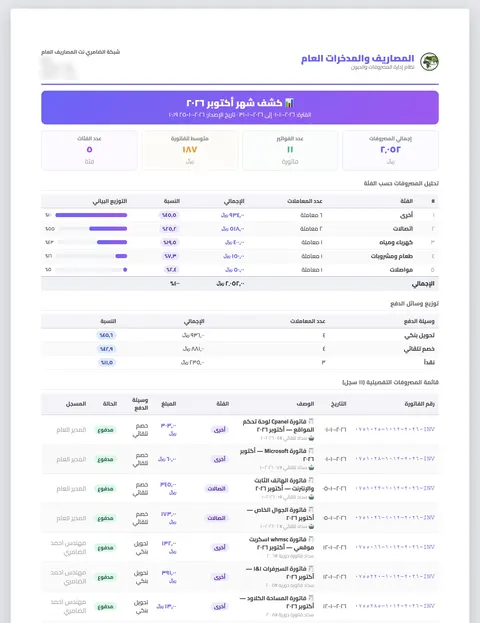
A professional monthly statement in your company identity: summary, category analysis, payment methods and every invoice — ready to print or save as PDF.

6Recurring bills & auto-pay
Monthly and yearly bills are paid and recorded as expenses on their due date, with the real monthly commitment, what's due in 30 days, and detection of unrecorded periods.

7Smart reminders
Generated automatically from bills, debts and savings with tags (today, tomorrow, urgent), plus manual reminders and delivery by email and SMS.

8Instant email notifications
An email the moment anything happens: expense, income, transfer, debt, savings, login or settings change — 20 event types, each with a minimum threshold and multiple recipients.

9Smart savings
Internal savings goals with monthly contributions and progress, plus bank savings with deposit, withdrawal, interest and transfer-to-budget.
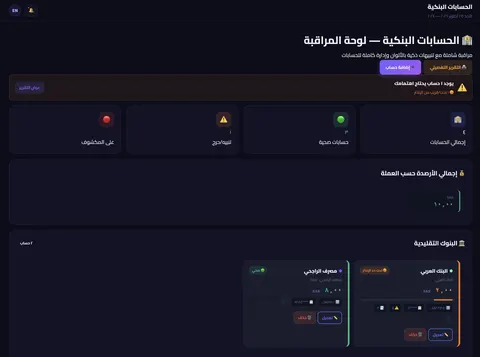
10Bank account monitoring
A monitoring board with color-coded alerts: healthy, below warning level, overdrawn — with total balances per currency.
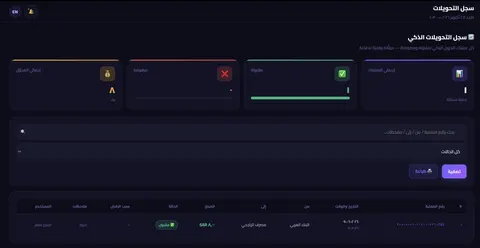
11Smart transfers
Move money between accounts, savings and budget with a balance check before execution, and a documented, printable log of accepted and rejected transfers.

12Reports center
A report for every section: expenses, debts, savings, banks, recurring bills, reminders, archive and transfers — for any period you choose.
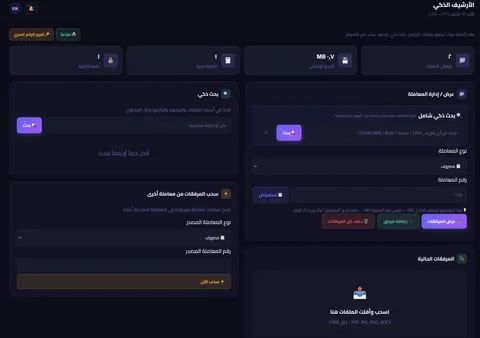
13Smart archive
Attach documents to any transaction, search by text, transaction number or barcode, and copy attachments between transactions.
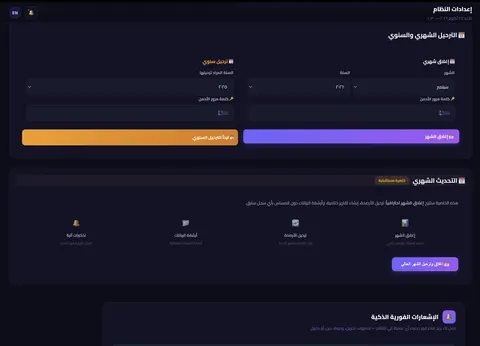
14Monthly & yearly closing
Monthly close and yearly carry-forward, protected by the admin password, to freeze transactions and roll balances over.

15Two-factor authentication
An extra security layer with codes by email, SMS or TOTP apps such as Google Authenticator and Microsoft Authenticator.
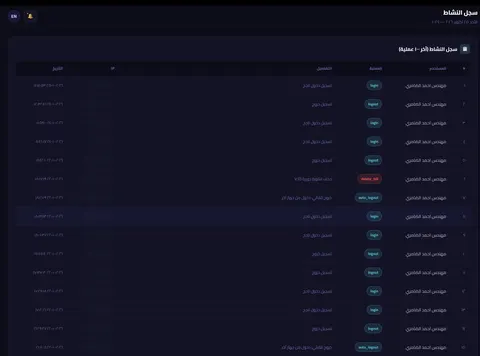
16Activity log
Every action is logged with user, time and address: login, logout, edits, deletions, and auto-logout when the account signs in from another device.

17Genuine license bound to your server
Instant activation and online verification through the DamriNet platform, a lifetime license and a stable update channel.
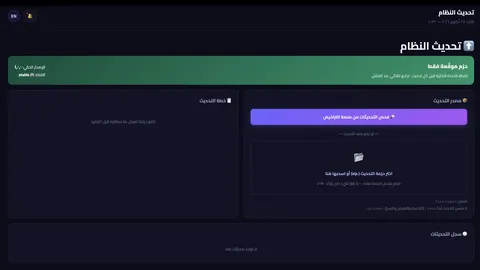
18Safe updates
Signed packages only, an automatic database snapshot before every update, and automatic rollback on failure — your data is never touched.
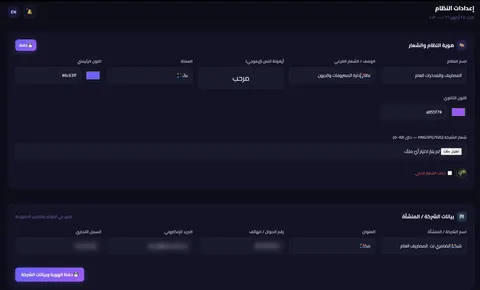
19Your company identity
System name, logo, colors and company details appear on every printed invoice and report.

20SQLite ⇄ MariaDB sync
Runs locally and syncs automatically with a MariaDB server, with backups, migration between databases and diagnostics.
Also included
Environment & requirements
| Deployment | Windows build with bundled PHP, or a web build on your own server (Synology / Linux) |
| Database | SQLite locally, optional MariaDB sync |
| Access | Any modern browser on desktop or mobile |
| Language | Arabic / English |
Live product URL: https://finance.damri.synology.me
Pricing
One-time license: $1,800 · ﷼ 6,750
Optional yearly updates & support: $100 · ﷼ 375
Frequently asked questions
Is the license really one-time?
Yes — a lifetime license for $1,800 (SAR 6,750), paid once. Yearly updates & support are optional.
Does it work offline?
Yes. It runs locally on SQLite and pushes changes to MariaDB automatically when a connection is available.
Does it support multiple users?
Yes — admin, accountant and user roles with per-section permissions, plus an activity log for every action.
Can I export my data?
Yes. Reports save as PDF, several sections export to CSV, and full database backups are built in.
How do I receive my license?
Your license key is issued automatically after payment through the DamriNet platform, with online verification and order tracking in the client area.